Gemini for Trainers: Use AI to Think Better, Not to Avoid Thinking
14 May 2026
A practical guide for trainers and facilitators to use Gemini chat and Gems for session design, activity planning, and follow-through without outsourcing judgment.
AI can make trainers faster.
But speed is not the real prize.
A trainer can prepare faster and still design a weak session.
No sugar coating.
AI can help you produce more material.
It can also help you produce more generic material if your thinking is weak.
The deeper question is not, "Can Gemini help me create content?"
The better question is, "Can Gemini help me think more clearly about the learning?"
That is where the value begins.
Used badly, Gemini becomes a machine for producing generic activities.
Used well, it becomes a thinking partner before you enter the room.
The trainer still leads.
Gemini helps you pressure-test the design.
Think of Gemini like a sharp assistant in the room.
Useful, fast, sometimes surprising.
But still not the facilitator.
You are the one who must decide what matters.
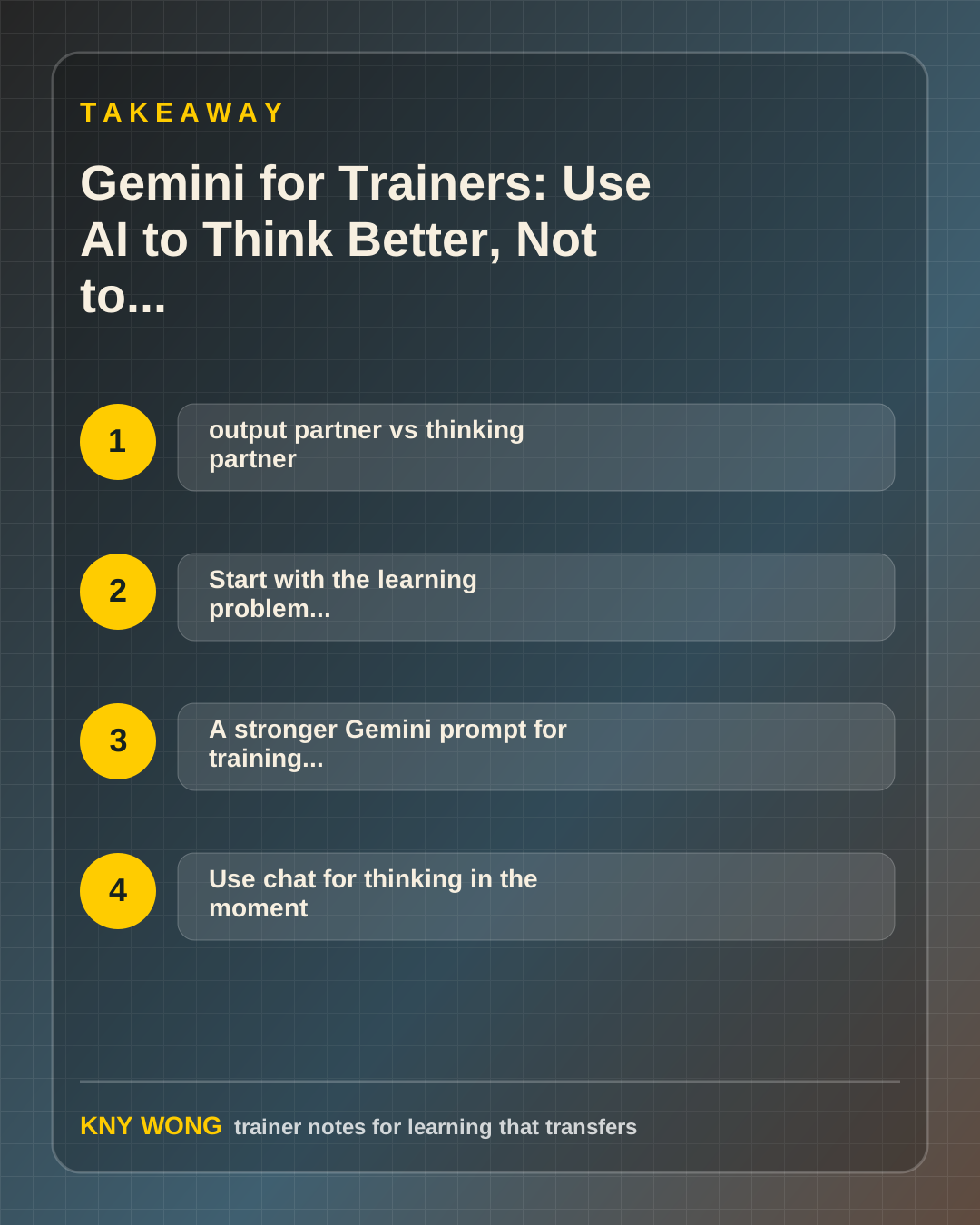
The simple distinction: output partner vs thinking partner
Many trainers start with this prompt:
"Create a 2-hour workshop on communication."
Gemini will answer.
It will probably give you objectives, activities, and a flow.
That is exactly why we need to be careful.
Polished is not the same as fit.
Complete is not the same as useful.
But the output may still miss the point because the prompt skipped the trainer's real judgment.
Who is in the room?
What is difficult for them?
What must change after the workshop?
What practice do they need?
What will stop transfer?
Gemini is more useful when you use it to sharpen these decisions before asking it to draft anything.
So here is the distinction:
An output partner helps you produce.
A thinking partner helps you decide.
For trainers, the second one is more valuable.
Start with the learning problem, not the topic
Do not begin with:
"Make me a workshop about AI."
Begin with:
"Participants need to use AI to draft better workplace emails, but they are either overtrusting the output or afraid to use it. Build a practice-based session that helps them judge quality, revise outputs, and leave with one usable workflow."
That prompt gives Gemini a real design problem.
A topic creates content.
A problem creates learning.
A stronger Gemini prompt for training design
Use this structure:
```text Act as my facilitation design assistant.
Audience: [who is in the room] Current challenge: [what they struggle with] Desired workplace behavior: [what they should do differently] Session length: [duration] Constraints: [language, confidence, tools, group size, online/physical] Design principle: participants must practice, not only listen.
Create:
- a session flow with time blocks
- activity instructions
- facilitator debrief questions
- common participant mistakes
- one post-session transfer task
`
This prompt does not ask Gemini to be clever.
It asks Gemini to be useful.
Use chat for thinking in the moment
Gemini chat is good for one-off facilitation thinking.
Use it when you need:
- three alternative opening activities
- clearer examples for mixed digital confidence
- role-play scenarios
- debrief questions
- simpler wording
- objections participants might raise
For example:
"Give me five ways this activity could fail with a group of managers who are skeptical about AI. Then suggest how I should adjust the instructions."
That prompt is useful because it asks for friction.
Good trainers do not only design the ideal path.
They prepare for where participants may resist, misunderstand, or disengage.
Use Gems for repeatable trainer workflows
If you keep using the same prompt pattern, turn it into a Gem.
Gems are useful when you want a repeatable assistant for a specific job.
For a trainer, possible Gems include:
- activity designer
- debrief question builder
- role-play scenario generator
- post-session transfer coach
- learner-note formatter
- facilitator run-sheet reviewer
The point is not to create many Gems.
The point is to create a few that match your recurring work.
A practical Gem instruction for facilitators
Use this as a base:
```text You are my facilitation co-designer for workplace learning.
Audience context: trainers, facilitators, HR, L&D teams, and workplace learners in Malaysia and Southeast Asia.
Your job is to turn training goals into practical, interactive learning flows.
Always include:
- session objective
- learner starting point
- activity sequence with time blocks
- facilitator instructions
- debrief questions
- likely participant mistakes
- transfer task for real work
Tone: practical, clear, warm, no hype.
Do not promise guaranteed outcomes.
If assumptions are needed, state them clearly. ```
This gives the Gem boundaries.
Without boundaries, AI tends to sound helpful but generic.
Stress-test the session before delivery
One of Gemini's best uses is pre-mortem thinking.
Before running the session, ask:
- What could confuse participants?
- Where might cognitive overload happen?
- Which activity may take longer than planned?
- What might skeptical participants push back on?
- What should I cut if I lose 20 minutes?
This helps you prepare like a facilitator, not just a presenter.
A presenter prepares content.
A facilitator prepares the room.
Use Gemini after the session
The session is not the finish line.
After delivery, use Gemini to help draft:
- recap email
- 7-day practice prompts
- manager reinforcement questions
- simplified participant notes
- reflection questions from anonymized themes
Keep client data private. Anonymize where needed.
The goal is to support transfer without making follow-up feel heavy.
Common mistakes to avoid
The first mistake is asking Gemini for a workshop before defining the learning problem.
That produces a schedule, not a design.
The second mistake is accepting the first output.
AI gives you a draft. The trainer must turn it into a session.
The third mistake is using AI to make everything bigger.
More activities do not mean better learning.
The fourth mistake is treating AI as the expert in the room.
Gemini can help you think. It cannot replace your judgment, your reading of the room, or your responsibility for learning transfer.
A 15-minute action step
Take one upcoming session and ask Gemini:
"What are five ways this session could fail to transfer into real work?"
Then ask:
"For each risk, suggest one small design adjustment I can make before delivery."
Use only the suggestions that match your participants and context.
That one exercise can improve your workshop before you touch a single slide.
Final takeaway
It is there to help the trainer think earlier, test the design harder, and support transfer longer.
The better you define the learning problem, the better AI can support the work.
Sources referenced:
- Gemini Apps Help: prompts and responses
- Gemini Apps Help: improving prompt quality
- Gemini Apps Help: privacy and usage notes
Related reading:
If you want this adapted for your trainers, teams, or facilitation workflow, contact Kny.